Never pay for damage you didn't do.
Photograph the car, home or gear you rent at pickup and at return. RentArmor tamper-checks every photo and seals them with an independent timestamp, so an unfair damage claim has nothing to stand on.
Proof in three steps
About two to four minutes at pickup, the same at return. That's all it takes to stop a deposit fight before it starts.
Walk around at pickup
Choose what you're renting and follow the checklist. Add close-ups of any scratch, dent or stain that's already there.
Walk around at return
Do the same when you hand it back. RentArmor reminds you on return day so you don't forget.
Seal and share
Seal the rental with a DigiCert timestamp and share the report. The owner checks the seal code online, no app needed.
Cars, homes, gear and more
Twenty rental types, each with its own checklist of shots.
Cars, vans & bikes
Rental cars, vans, motorbikes and bicycles, panel by panel.
Holiday stays
Holiday homes and short stays, room by room at check-in and check-out.
Tenancies
Homes, offices and storage units, with a Tenancy pass for the whole lease.
Gear & items
Cameras, electronics, furniture, tools, instruments, clothing and more.
Evidence that holds up
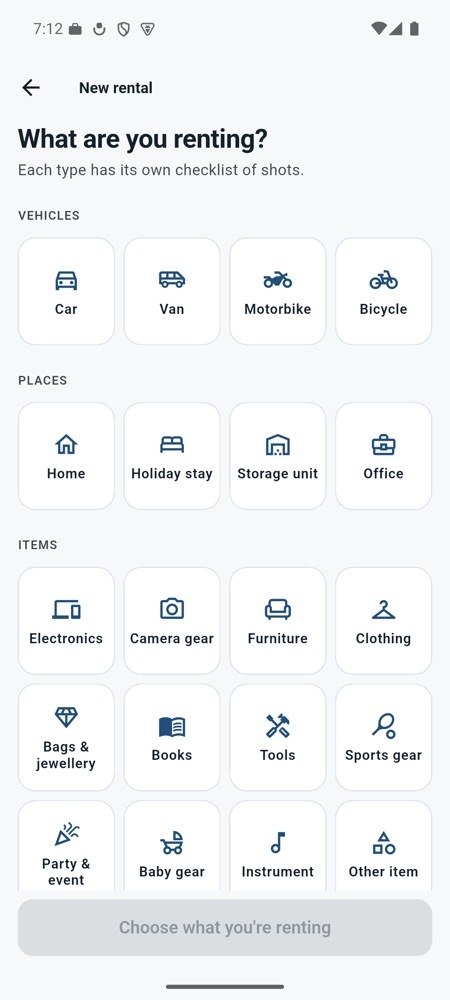
A checklist for whatever you rent
No guessing what to photograph. Each shot tells you what to capture.
- Guided walkarounds for 20 rental types
- Blurry, dark or glary photos are flagged so you can retake them
- Close-ups of existing damage, dated and located
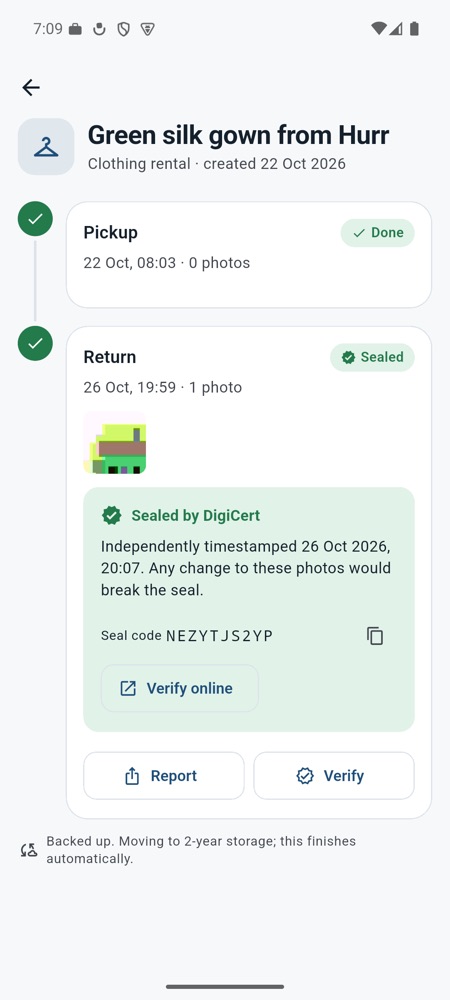
Sealed by DigiCert, checkable by anyone
Your phone's clock can be argued with. An independent timestamp can't.
- Photos are linked in a tamper-checked chain. Change one and the seal breaks.
- DigiCert, a global certificate authority, timestamps the chain (RFC 3161)
- Every report carries a seal code anyone can check online
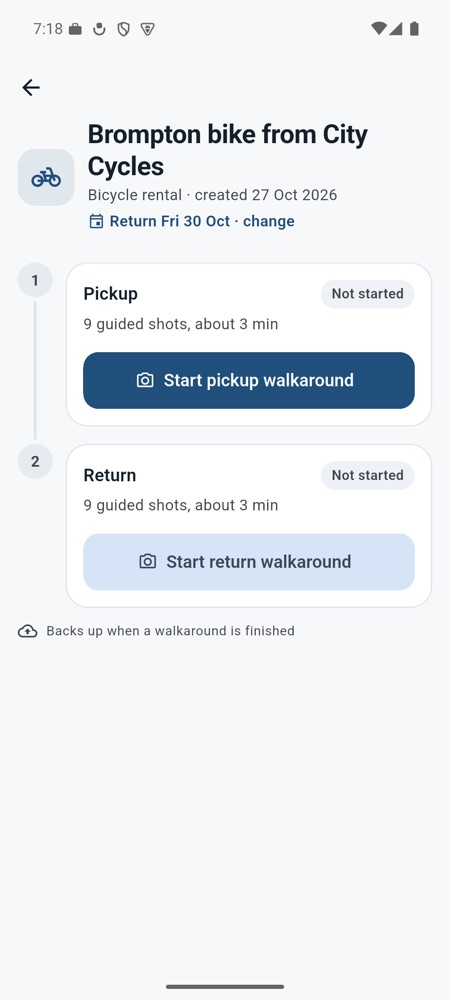
Reminded on return day
Most disputes start at return. RentArmor makes sure you record it.
- Add a return date and get a reminder that morning
- Pickup and return side by side in one rental
- Share a clear PDF report in a tap
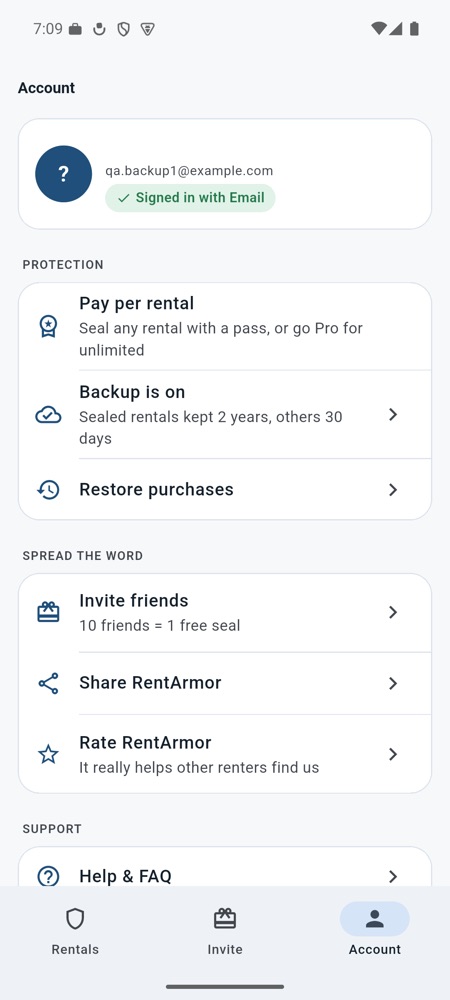
Lose your phone, keep your proof
Sign in and your rentals are backed up to your own private account.
- Sealed rentals are kept for 2 years
- Unsealed rentals are kept for 30 days, enough for a deposit refund
- Invite friends and earn free seals
Verify a seal
Got a RentArmor report? Enter the seal code from its first page to see when the photos were sealed and by which authority. No app or account needed.
Technical reviewers can also download the timestamp token and check it with OpenSSL, without trusting RentArmor.
Free to record. Pay only to seal.
One small payment can save a deposit. No ads, ever.
Free
Record and share unverified reports.
- Guided walkarounds
- Tamper-checked photos
- 30-day backup when signed in
Rental pass
Seals one rental: pickup and return.
- DigiCert seal on both walkarounds
- Seal code anyone can verify
- 2-year backup
Tenancy pass
Seals one home, office or storage rental.
- Move-in and move-out sealed
- Seal code anyone can verify
- 2-year backup
RentArmor Pro
Seal unlimited rentals for a year.
- Unlimited seals
- Every rental type
- 2-year backup
Prices in USD. Your local price is shown in the app before you pay. Pro renews yearly until you cancel in Google Play or the App Store.
Your photos stay yours
Only a fingerprint leaves
Sealing sends a fingerprint of your photos to the timestamp authority, never the photos or your location.
Private backups
Photos are backed up only to your own account, and only when you sign in. Nobody at RentArmor looks at them.
No ads, no AI training
We don't sell your data, show ads, or use your photos to train AI.
Questions, answered
What is RentArmor?
RentArmor records the condition of anything you rent, like a car, a flat, a holiday home, a camera or furniture, when you get it and when you give it back. If the owner later claims you caused damage, you have dated, located, tamper-checked photos to show it was already there or that you returned it fine.
What does "Sealed" mean?
When you seal a walkaround, RentArmor sends a fingerprint of your photos (not the photos) to DigiCert, a global certificate authority. DigiCert signs a timestamp proving those exact photos existed at that moment. If anyone changes, adds or removes a photo, the fingerprint no longer matches and the seal breaks.
What does "Unverified" mean?
The photos are saved and tamper-checked on your phone, but their times come from your phone's clock, which someone could argue was changed. A seal adds an outside timestamp that doesn't depend on your phone. Unverified reports are still useful; sealed ones are much harder to argue with.
How does a rental company check my report?
Every sealed report shows a seal code. They open rentarmor-app.web.app/v/ and enter the code to see when it was sealed and by which authority. Technical reviewers can download the timestamp file and check it with standard tools (openssl ts -verify) without trusting RentArmor at all.
Will it win my dispute?
RentArmor is a record-keeping tool, not legal advice. It gives you clear, dated evidence; the rental company, your card issuer or a court decides the dispute. In practice, a timestamped before-and-after record ends most unfair claims quickly.
What if I lose my phone?
If you're signed in, your rentals are backed up. Install RentArmor again, sign in with the same account, and they come back with their seals intact. Rentals made as a guest without signing in live only on that phone.
Can I get a refund?
Purchases go through Google Play or the App Store, so their refund rules apply. If something went wrong with a seal, contact us first and we'll make it right.
Your next rental deserves proof.
Download RentArmor before you pick up the keys. It's free to record.
 Scan to download